.png)
Signal OnSite
Book. Sit. Get things done!
The ultimate app for booking desks and spaces in your office.


Enables setting resource booking rules, managing employees and their permissions, creating a virtual office map, and provides constant access to data and reports on space utilization.

An intuitive application that allows employees to quickly book office resources based on availability and their assigned permissions. It lets your employees edit and cancel their bookings.


Book with real-time availability and optional check-in.

Simple, reliable room booking that plays nicely with your corporate calendars.

Resources are easy to book thanks to LockSpace app or via Signal OnSite app.

Make focus pods, quiet zones, or collaboration spaces fair to use.


Find a free desk, room, or shared area in seconds. Choose from a list or a map.

Pick a time, book, and edit or cancel just as fast.

Confirmation on arrival; unconfirmed slots free up automatically.

Reminders on confirmations, check-in and check-out times, and more.

Search by resource type and save your favourites for future bookings.

Save a booking to your work calendar in one tap.

Learn how Lockspace can be set up according to your company's needs.

Set flexible booking rules by group - what can be booked, how far in advance, and for how long. Manage diverse resource types like desks, conference rooms and zones to match your layout.

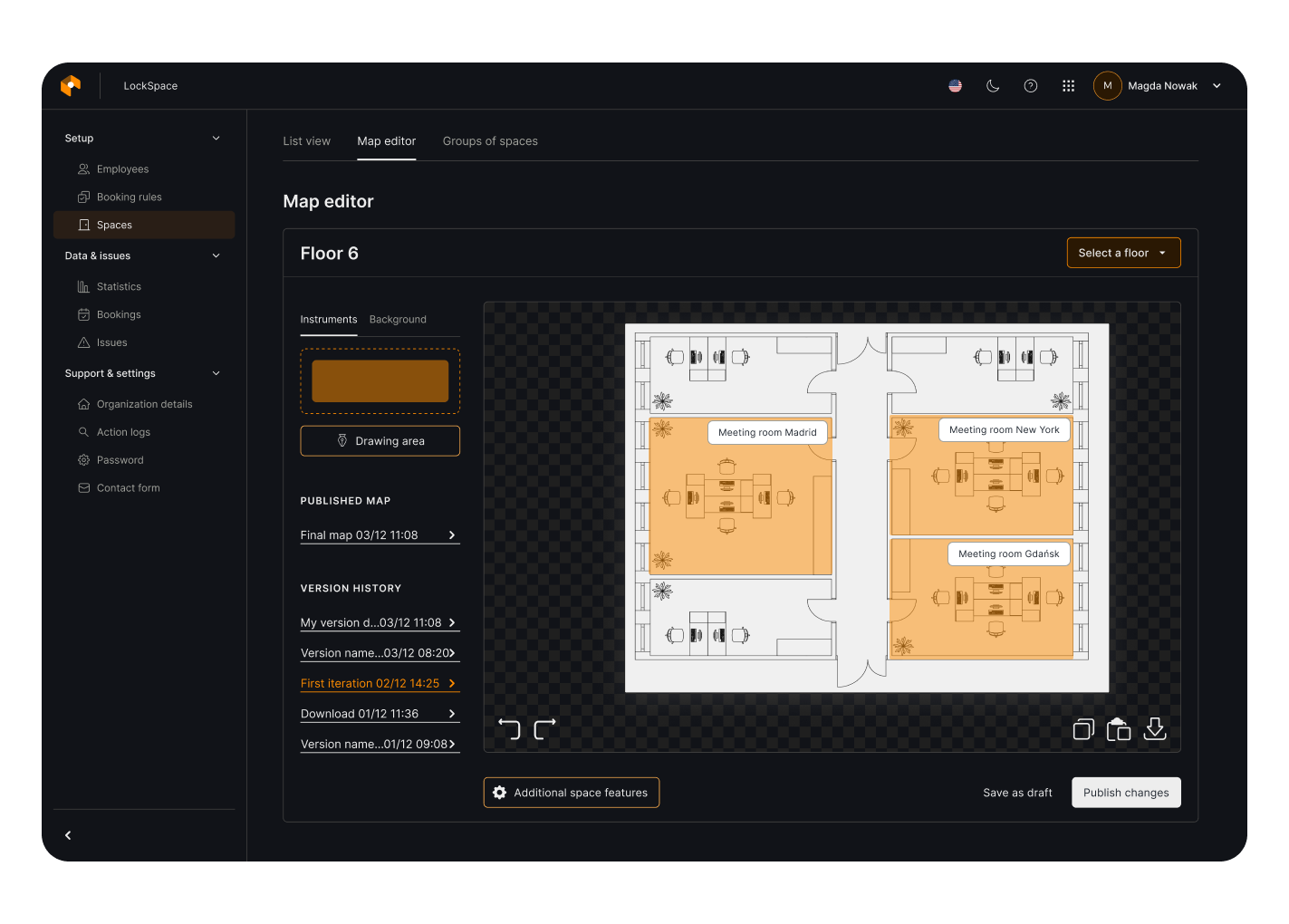
Use the built-in intuitive wizard to create a virtual office map or upload your floor plan. Add resources one by one or import them from a file, so people can book directly from the map!

Create employee groups with separate booking rules and invite staff by email. Manage bookings - create, cancel, and edit directly from the panel. If unusual bookings need to be made, such as combined spaces, create them in the panel.

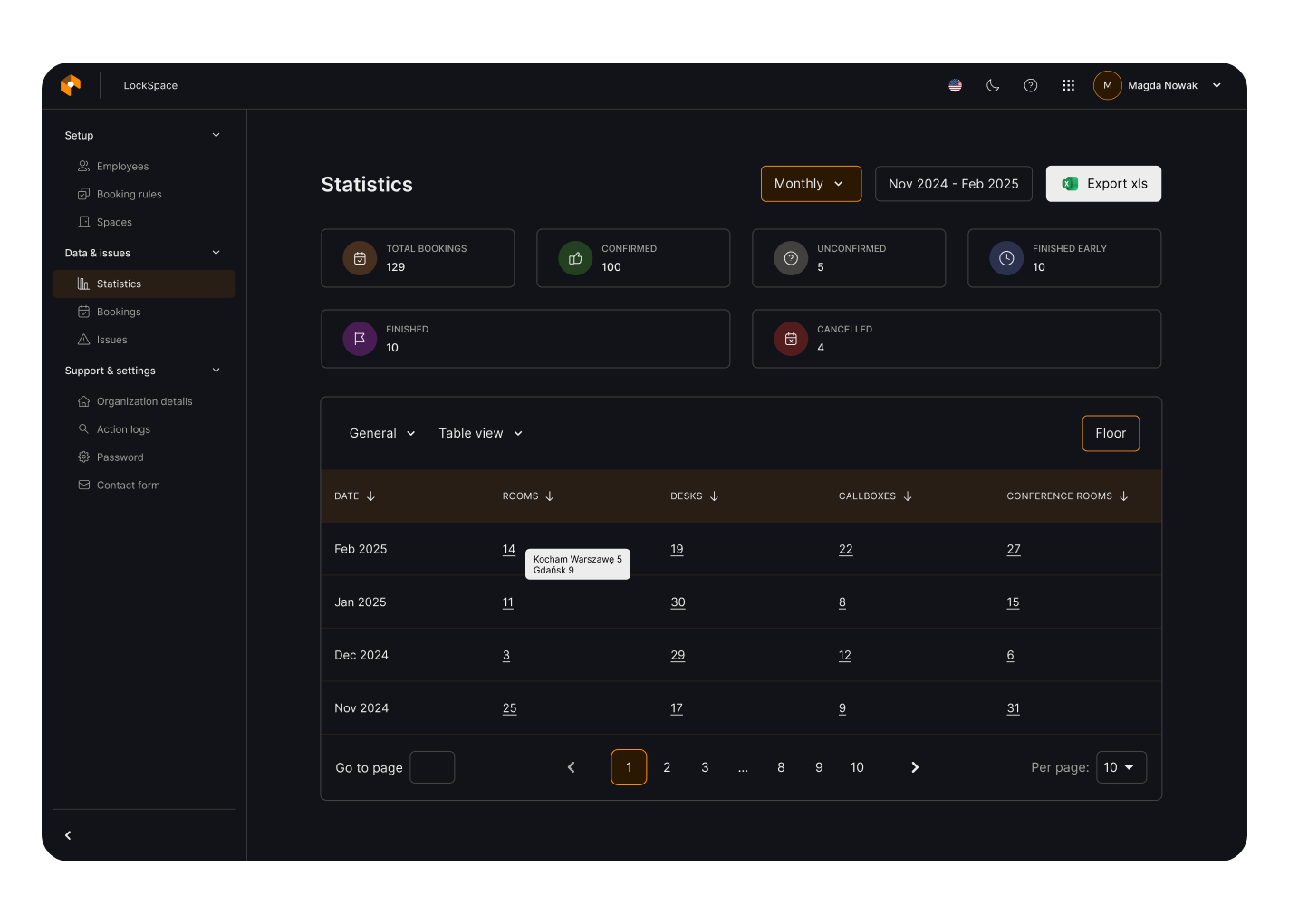
Monitor real-time occupancy with statistics by groups, resources and employees. Export to XLS, compare periods and use visual charts to support decisions.
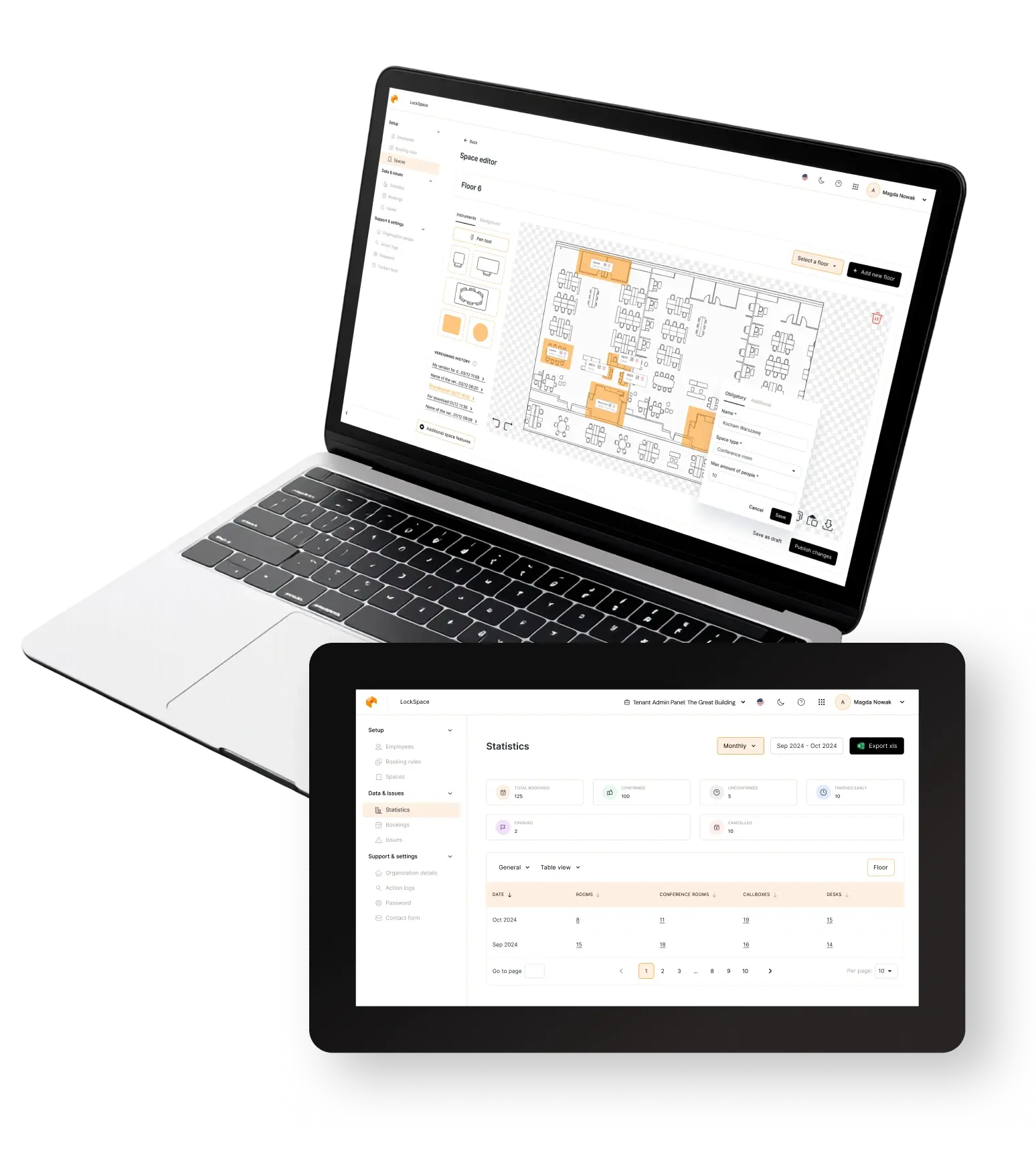
Take a look at the chosen views
Upload your floor plan or create it from scratch thanks to our intuitive map creator wizard. Add resources or import them from a file. Map them, so your employees can book desks, rooms, and spaces.

Create different rules for different resources and employee groups. Decide if the bookings should be hourly or daily, how many days ahead resources can be booked, how long they should be, decide upon the offset time, and set many more rules to fully customize the experience!

Invite by hand or upload from a file, manage, and delete employees. Assign your employees to groups, check their bookings and stats on their past and current reservations, and more!

No more guesswork! Be up-to-date with live occupancy, detailed stats of your resources and employees. Optimize your space so it serves your company better.